Saturday, December 11, 2010

BP8_gogofrog
Well I first took a look at this site because I love frogs. Yes, simple I know. However, the capabilities of this site brought me back for a second look. This appears to be a Second Life type website with NO downloads. Yes that's right NO downloads. The site is run strictly online. The site is gogofrog and it is very interactive.
There is a video on the homepage of the site. But here is another video found on YouTube.
If you would like to take a look at the room I created, please go here. I found the learning curve for this is pretty similar to that of Second Life. Although once completed, teachers could use this room as a virtual classroom. There are video chat options. You can upload videos to interactive tvs. You can upload music.
The main classroom can be a lobby where students meet and chat. Then you can add additional rooms for each class. If you would like to keep the site secure, so only those with passwords can enter, that option is available. This may be particularly useful when/if parents are concerned about online safety.


I researched this tool for use in the classroom, however there are a plethora of other uses for a 3-D website. SO be creative and get one of your own. Sign up is easy and free.

There is a video on the homepage of the site. But here is another video found on YouTube.
If you would like to take a look at the room I created, please go here. I found the learning curve for this is pretty similar to that of Second Life. Although once completed, teachers could use this room as a virtual classroom. There are video chat options. You can upload videos to interactive tvs. You can upload music.
The main classroom can be a lobby where students meet and chat. Then you can add additional rooms for each class. If you would like to keep the site secure, so only those with passwords can enter, that option is available. This may be particularly useful when/if parents are concerned about online safety.
 |
| my main room |
Sign-up is free and there are MANY free items to place into your room. Just like Second Life, there are items that are available for purchase. You can also upload your own items and objects. Creation of your own items can lead to sales. Money is gogofrog is called gogos. You use your paypal account to exchange dollars for gogos.  |
| Site description and tags can help you network your classroom. |
 |
| adding students is easy |
 |
| Movement keys |
Moving around a simulated environments takes some talented keyboard strokes. However with gogofrog, they have a reminder picture when you log in of these. (see above picture).


I researched this tool for use in the classroom, however there are a plethora of other uses for a 3-D website. SO be creative and get one of your own. Sign up is easy and free.

Monday, December 6, 2010
Michael Wesch
A portal to media literacy
This video was for the Wimba session last week. However, I wanted to view it again and take notes this time. So here's my notes and screenshots from video.
Screenshot video created in iMovie.
This video was for the Wimba session last week. However, I wanted to view it again and take notes this time. So here's my notes and screenshots from video.
Crisis of significance:
Moving beyond rote memorization: all the information is floating around us at any given moment. “The reality is the vast majority of human knowledge is actually floating in the air all around us right now. And a better skill might be to find a way to harness that information, critique it, and maybe create something new out of it.”
YouTube video: more hours of video uploaded in last six months than the previous ½ century of tv broadcasting
Collective Intelligence. “Nobody is as smart as everybody.” Kevin Kelly
Web 1.0 – text – no interaction
Web 2.0 – interaction
“Information can find us” through RSS
“looking glass self” Cooley
“Law of accelerating returns” Ray Kirswell
killerstartups.com
Think about learning environments as platforms for participation…allow students to understand emerging media
Students work harder for peers than for professors
student created notes in Wiki are powerful study tools for tests - teacher allowed to see learning process
Metcalf's Law N(N-1)/2 = group connections
Reed's Law for possible subgroups and their value = 2n-N-1
Places to follow:
"Have we prepared our students for this?"
"this is not a download world but an upload world"
Screenshot video created in iMovie.
Clay Shirky
Wow there is a lot of information in this video. I think I am on information overload this month. But that aside, what did I get out of this video?
The use of stories to SHOW the point he was making was spectacular! I don't like being told something. I like to be shown. Therefore, what stuck with me through the video was:
1. the social effects of technology - when technology becomes an assumption or a given and the society flows from it. The combustion engine. One just assumes that you need a combustion engine to drive a car to get to a drive-in diner or movie. But you don't think about it. Today's youth do not remember being without a phone. I have heard elementary students tell their parents that "it is MY RIGHT to have a phone." And I've heard some parents say they wouldn't let their children go to a mall (or wherever) without a phone just in case.
2. Rungs of a Ladder: Sharing, Conversation, Collaboration, and Collective Action. So as we go up the rungs, so too does the amount of collaboration increase. The history of group is: we are thrown in here let's make the best of the situation. Now we have groups forming out of shared ideas. It truly is a reverse of group formation.
3. Community of practice: because the group is formed out of shared ideas, we can all work together to make the group better. Shirky's explanation of the high dynamic range photography group was appealing. The idea of one person posting an idea followed by others joining a group discussion is appealing to an online learning environment. I have recently found some tools like busuu.com and lenguajero.com that use a similar, albeit non-random, collective learning environment.
The use of stories to SHOW the point he was making was spectacular! I don't like being told something. I like to be shown. Therefore, what stuck with me through the video was:
1. the social effects of technology - when technology becomes an assumption or a given and the society flows from it. The combustion engine. One just assumes that you need a combustion engine to drive a car to get to a drive-in diner or movie. But you don't think about it. Today's youth do not remember being without a phone. I have heard elementary students tell their parents that "it is MY RIGHT to have a phone." And I've heard some parents say they wouldn't let their children go to a mall (or wherever) without a phone just in case.
2. Rungs of a Ladder: Sharing, Conversation, Collaboration, and Collective Action. So as we go up the rungs, so too does the amount of collaboration increase. The history of group is: we are thrown in here let's make the best of the situation. Now we have groups forming out of shared ideas. It truly is a reverse of group formation.
3. Community of practice: because the group is formed out of shared ideas, we can all work together to make the group better. Shirky's explanation of the high dynamic range photography group was appealing. The idea of one person posting an idea followed by others joining a group discussion is appealing to an online learning environment. I have recently found some tools like busuu.com and lenguajero.com that use a similar, albeit non-random, collective learning environment.
Sunday, December 5, 2010
PE3_iMovie
Welcome to the screen shots of my learning of iMovie on lynda.com tutorials. This posting will include the following tutorials: 11, 12, 13, 14 and Conclusion.
Wow my head is swimming. Guess I should have done this project over a view days instead of all in one setting. I'll be coming back to this post to finish the screenshots.
Here are a couple projects that show what I have learned. Yes one was last month's video, but I am so PROUD of that video that I had to share it again.
Wow my head is swimming. Guess I should have done this project over a view days instead of all in one setting. I'll be coming back to this post to finish the screenshots.
Here are a couple projects that show what I have learned. Yes one was last month's video, but I am so PROUD of that video that I had to share it again.
PE2_iMovie
Welcome to the screen shots of my learning of iMovie on lynda.com tutorials. This posting will include the following tutorials: 6, 7, 8, 9 and 10.
For the audio and video adjustments from tutorial 6, I must thank Matthew and Mike for their help with this last month! Thanks for teaching me! You guys are amazing teachers!
But things I did learn were "pinning music" and "ducking". Adding photos to videos will be a fun addition.
Keyboard shortcuts learned are: cmd + shift = audio clips used as sound effects;
For the audio and video adjustments from tutorial 6, I must thank Matthew and Mike for their help with this last month! Thanks for teaching me! You guys are amazing teachers!
But things I did learn were "pinning music" and "ducking". Adding photos to videos will be a fun addition.
Keyboard shortcuts learned are: cmd + shift = audio clips used as sound effects;
PE1_iMovie
Welcome to the screen shots of my learning of iMovie on lynda.com tutorials. This posting will include the following tutorials: Introduction, 1, 2, 3, 4, and 5. (screenshots are not in any particular order)
 |
| Fun ways to edit |
 |
| Keyboard shortcuts |
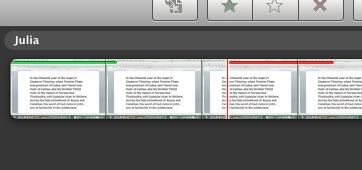 |
| Marking clips as favorites or rejects |
 |
| Fine Tuning |
 |
| Project Folders |
 |
| merge event |
 |
| Printing an Event or Project |
 |
| Splitting Event, Adjust Date & Time, or Adding Still Frame |
 |
| View Events by Month |
 |
| View Full Screen |
***Yes believe it or not, I was viewing all my previous projects in the little tiny window in the upper right of the iMovie window!***
 |
| Adding music to the project |
 |
| Cropping the project |
Wow if this is what I have learned in the first 5 tutorials. I can't wait for the next set! Come back soon to see what else this chica is learning.
Hasta luego!
Subscribe to:
Posts (Atom)