Welcome to the screen shots of my learning of iMovie on lynda.com tutorials. This posting will include the following tutorials: 11, 12, 13, 14 and Conclusion.
Wow my head is swimming. Guess I should have done this project over a view days instead of all in one setting. I'll be coming back to this post to finish the screenshots.
Here are a couple projects that show what I have learned. Yes one was last month's video, but I am so PROUD of that video that I had to share it again.
Showing posts with label iMovie. Show all posts
Showing posts with label iMovie. Show all posts
Sunday, December 5, 2010

PE2_iMovie
Welcome to the screen shots of my learning of iMovie on lynda.com tutorials. This posting will include the following tutorials: 6, 7, 8, 9 and 10.
For the audio and video adjustments from tutorial 6, I must thank Matthew and Mike for their help with this last month! Thanks for teaching me! You guys are amazing teachers!
But things I did learn were "pinning music" and "ducking". Adding photos to videos will be a fun addition.
Keyboard shortcuts learned are: cmd + shift = audio clips used as sound effects;
For the audio and video adjustments from tutorial 6, I must thank Matthew and Mike for their help with this last month! Thanks for teaching me! You guys are amazing teachers!
But things I did learn were "pinning music" and "ducking". Adding photos to videos will be a fun addition.
Keyboard shortcuts learned are: cmd + shift = audio clips used as sound effects;
PE1_iMovie
Welcome to the screen shots of my learning of iMovie on lynda.com tutorials. This posting will include the following tutorials: Introduction, 1, 2, 3, 4, and 5. (screenshots are not in any particular order)
 |
| Fun ways to edit |
 |
| Keyboard shortcuts |
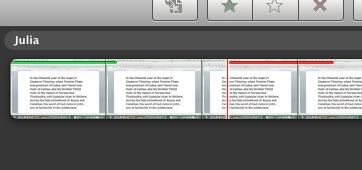 |
| Marking clips as favorites or rejects |
 |
| Fine Tuning |
 |
| Project Folders |
 |
| merge event |
 |
| Printing an Event or Project |
 |
| Splitting Event, Adjust Date & Time, or Adding Still Frame |
 |
| View Events by Month |
 |
| View Full Screen |
***Yes believe it or not, I was viewing all my previous projects in the little tiny window in the upper right of the iMovie window!***
 |
| Adding music to the project |
 |
| Cropping the project |
Wow if this is what I have learned in the first 5 tutorials. I can't wait for the next set! Come back soon to see what else this chica is learning.
Hasta luego!
BP7_OMM_Busuu
Busuu...The tool for your school
To view full size video click here.
Here is my commercial for Busuu.com. I found the "free" option is quite limited. If I were to actually present this to the administration, I would also pay for the upgraded option and do another short video to show the difference. The goal would be for administration to pay for the memberships for students rather than leaving them with the free. Either way, adding this to the curriculum would be a great asset to the students learning a foreign language.
Subscribe to:
Posts (Atom)